

CreatorsOS vs Hypefury: Which X Tool Is Right for You in 2026?
Here are the main points to remember when comparing these X tools.
Key Takeaways
- CreatorsOS offers free, no-signup tools for AI bios and username ideas, great for quick starts.
- Hypefury is a more established, feature-rich platform for in-depth X creator management.
- Disposable email is a smart way to keep your real inbox clean and protect your privacy online.
- When choosing, consider your budget, skill level, and whether you need basic help or advanced tools.
- The 'best' hypefury alternative depends entirely on your personal needs and how you use X.
Understanding Core Features: CreatorsOS vs Hypefury
Alright, let's get down to brass tacks. When you're looking at tools to help you out on X, it's easy to get lost in all the fancy features. But what really matters? We're going to break down some of the core things CreatorsOS and Hypefury bring to the table, starting with how they help you present yourself and manage your online presence.
AI-Powered Bio Generation
First up, your X bio. It's like your digital handshake, and getting it right can be tough. Both tools aim to help here, but they go about it a bit differently. CreatorsOS, for instance, has a feature that whips up three unique bio options for you in seconds. You just give it your niche and the vibe you're going for – think professional, witty, or whatever fits your style – and it spits out suggestions. The best part? It's completely free and doesn't even ask you to sign up. This means you can try it out without any commitment, which is pretty neat if you're just testing the waters. These AI-generated bios are also designed to fit within X's 160-character limit, so no worries about cutting off your message.
Hypefury, on the other hand, often integrates AI more broadly into its suite of tools, which might include bio suggestions as part of a larger content strategy or profile optimization package. While it might not always have a standalone, free bio generator like CreatorsOS, its AI capabilities are usually tied to its paid plans, aiming to provide a more integrated content creation experience.
Username Idea Generation
Finding a good username, or handle, is another hurdle. You want something memorable, easy to spell, and ideally, available. CreatorsOS offers a free tool for this too. You punch in your niche or brand idea, and it gives you a bunch of creative suggestions. This is super helpful because, let's be honest, most of the good ones are probably already taken. The tool aims to give you options that are short, catchy, and fit within X's 15-character limit for usernames. It's all about making you discoverable without the usual headache of trying dozens of combinations yourself.
Hypefury might tackle username suggestions differently, perhaps as part of its overall brand building features within its paid plans. It's less about a quick, free tool and more about how a consistent brand identity, including your handle, fits into your broader X strategy. They might focus on how your username aligns with your overall content and marketing goals.
Disposable Email for Privacy
Now, let's talk privacy. In today's online world, giving out your real email address to every service can feel a bit risky. This is where disposable emails come in handy. CreatorsOS provides a free disposable email service. You get a temporary inbox instantly, no signup needed. This is great for signing up for new services, testing things out, or just keeping your main inbox clean from potential spam. It's a simple but effective way to protect your personal information online. It’s like having a temporary mailbox for those one-off signups, preventing water damage to your personal inbox.
Hypefury, being more focused on the management and scheduling aspects of X, doesn't typically offer disposable email services as a core feature. Their focus is on helping you manage your X account, not necessarily on providing privacy tools for general online use. If privacy is a big concern for you outside of your X account management, you'd likely need a separate solution for disposable emails, and CreatorsOS has you covered there for free.
Evaluating AI Capabilities for Content Creation
When you're trying to make your mark online, especially on a platform like X, having content that stands out is key. This is where AI tools really start to shine. They can help you brainstorm, refine, and even generate parts of your content, saving you time and giving you fresh ideas.
Crafting Unique X Bios Instantly
Your X bio is like your digital handshake. It's the first thing people see, and it needs to be good. AI can help here by taking a few keywords about your niche and desired tone, then spitting out a few different bio options. These tools can generate up to three distinct bios in seconds, all designed to fit within X's 160-character limit. You can try different tones – maybe you want to sound professional, or perhaps witty and casual. It's a quick way to get a professional-sounding bio without staring at a blank screen.
Generating Creative Username Suggestions
Finding the perfect username, or handle, can be a real headache. You want something memorable, easy to spell, and ideally, available. AI can sift through possibilities based on your name or brand, offering suggestions you might not have thought of. It's not just about random combinations; good AI tools consider what makes a username effective – like being short and relevant. They can help you avoid common pitfalls, such as using too many numbers or underscores that make your handle look spammy. This is a great starting point for building your online identity.
Exploring AI's Role in Profile Optimization
Beyond just the bio and username, AI can assist in other profile elements. Think about how you present yourself overall. AI tools can help analyze trends or suggest keywords that might improve your profile's visibility. While some AI tools focus on specific tasks like bio generation, others are broader, aiming to help with overall content strategy. For instance, tools like Jasper and ChatGPT are known for drafting blog posts, and similar principles can apply to refining your X presence. It's about using artificial intelligence to make your profile more appealing and discoverable.
AI is becoming a powerful assistant for creators. It can handle the repetitive or time-consuming parts of content creation, freeing you up to focus on the bigger picture and your unique creative vision. Think of it as a collaborator that never gets tired.
Here's a quick look at what AI can do for your X profile:
- Bio Generation: Get multiple options quickly, fitting character limits.
- Username Ideas: Find creative and available handles.
- Content Refinement: Suggest improvements for profile text.
- Niche Keyword Suggestions: Help optimize your profile for search.
User Experience and Accessibility
When you're trying to build a presence on X, the tools you use shouldn't feel like a chore. It's all about making things easier, right? Let's break down how CreatorsOS and Hypefury stack up when it comes to just that.
Ease of Use for New Creators
Getting started with any new platform can be a bit daunting. For folks just dipping their toes into content creation, a clean, straightforward interface is key. CreatorsOS often gets points for its simplicity. It feels less like a complex dashboard and more like a helpful assistant. Hypefury, while powerful, can sometimes feel like it has a steeper learning curve, especially if you're not already familiar with social media management tools. It's packed with features, which is great, but it can also mean more buttons and options to figure out.
Free Tools vs. Paid Subscriptions
Money talks, especially when you're starting out. Both platforms have free tiers, but they differ in what they offer. CreatorsOS provides some genuinely useful free features, like username idea generation and even a basic AI bio writer. This means you can test the waters without opening your wallet. Hypefury's free plan is more limited, often acting as a teaser for its paid capabilities. If you're on a tight budget, the ability to get started with robust free tools is a big win.
No Signup Required Features
This is where things get interesting. Some tools just let you jump right in. CreatorsOS offers a few handy features, like their disposable email generator, that you can use immediately. No need to create an account, no email required. It's perfect for quick tasks where you want to protect your privacy or just get something done fast. Hypefury generally requires you to sign up to access its features, even the more basic ones. While this is standard for most services, the immediate access offered by some CreatorsOS tools is a nice touch for spontaneous needs.
The less friction there is between you and getting a task done, the more likely you are to actually do it. Simple, accessible tools mean less time fiddling with settings and more time creating content that connects with your audience.
Beyond Basic Scheduling: Advanced X Creator Management
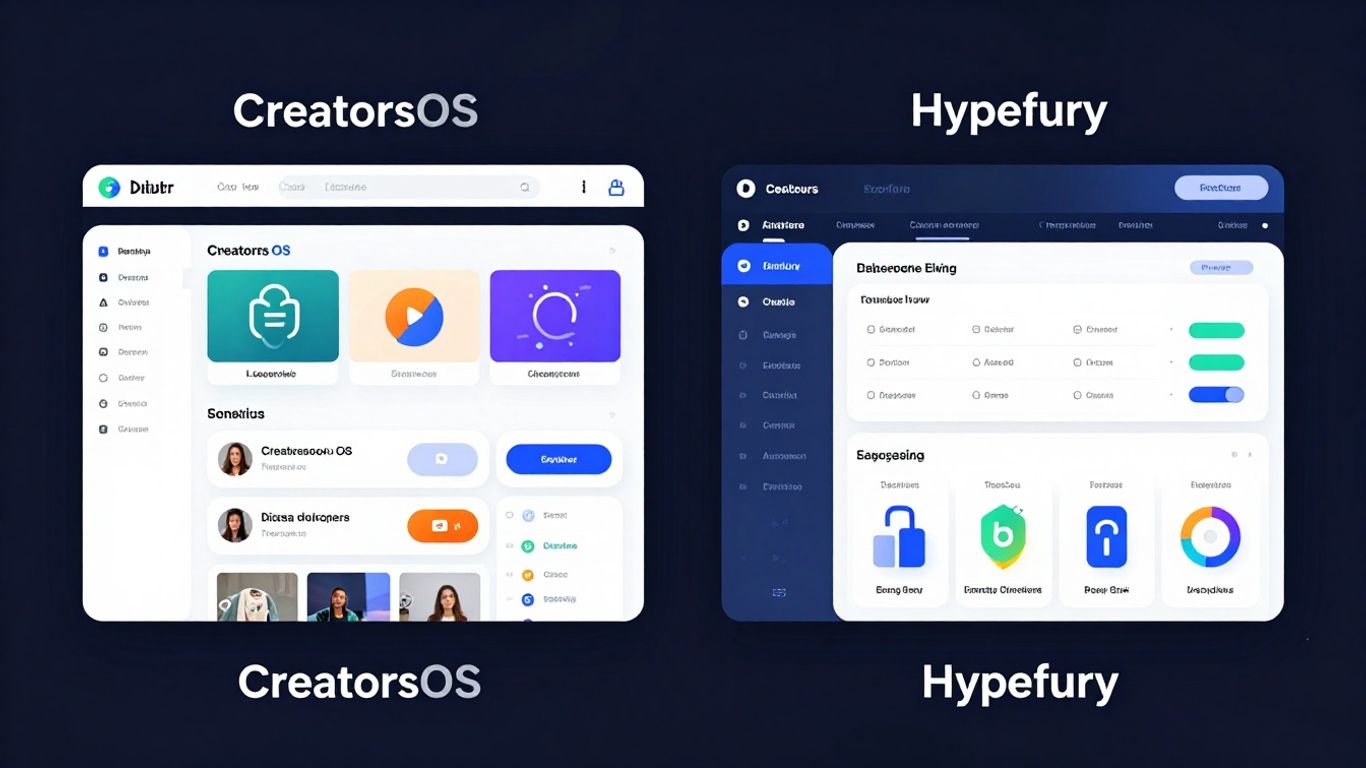
Look, scheduling posts is fine and dandy, but managing your entire X presence goes way beyond just hitting 'publish' at a certain time. We're talking about tools that help you actually grow and keep things organized. When you start looking at what makes a creator successful, it's not just about the tweets themselves, but how you present yourself and manage your online identity.
Is Hypefury a Comprehensive X Creator Management Tool?
Hypefury has been around for a while, and it's definitely got some solid features for X. It's known for its advanced scheduling, like evergreen content queues and post variations. It also helps with things like finding the best times to post and analyzing your performance. For many, it feels like a good all-in-one solution for getting tweets out the door efficiently. It's a tool that helps you automate a lot of the repetitive tasks, freeing you up to focus on the actual content creation.
Assessing CreatorsOS as a Hypefury Alternative
CreatorsOS is trying to do things a bit differently. While Hypefury focuses heavily on the scheduling and automation side, CreatorsOS seems to be leaning more into the profile optimization and identity aspects. Think AI-powered bio generation that actually sounds like you, and username suggestions that aren't just random strings of characters. It's about building a stronger brand presence from the ground up, not just pushing out content. This approach could be a game-changer if you're struggling to define your online persona or want to make sure your profile is as strong as your tweets.
Finding the Best Hypefury Alternative for Your Workflow
So, which one is better? It really depends on what you need most. If your main goal is to schedule a ton of content and automate your posting calendar, Hypefury might still be your go-to. But if you're looking for something that helps you build a more cohesive and professional online brand, especially with AI assistance for things like your bio and username, then CreatorsOS is worth a serious look. It's about finding the tool that fits how you work. After testing nearly 50 social media management tools, it's clear that the landscape is changing, and tools are specializing more. You might even find that a combination of tools works best for your specific needs, perhaps using a dedicated scheduling tool alongside something that helps with profile branding. For those enterprise-level needs, tools like Sprinklr and Sprout Social offer even more advanced capabilities, but for individual creators, the choice often comes down to these more focused platforms.
The idea of 'creator management' is evolving. It's no longer just about scheduling posts. It's about building a brand, managing your online identity, and using smart tools to make sure all those pieces fit together effectively. Think of it as building a house: you need a solid foundation (your profile), good walls (your content), and a reliable roof (your scheduling and management).
Here's a quick look at how they stack up for advanced features:
- Profile Optimization: CreatorsOS shines with AI bio and username generation.
- Content Automation: Hypefury excels with advanced scheduling and evergreen queues.
- Brand Consistency: CreatorsOS aims to build a stronger, more unified online persona.
- Workflow Integration: Both tools aim to streamline creator tasks, but with different focuses.
Privacy and Data Security Considerations
When you're putting your creative work out there, thinking about who sees your information is pretty important. It’s not just about what you post, but also how the tools you use handle your personal details. Let's break down how CreatorsOS and Hypefury stack up.
How CreatorsOS Handles Your Data
CreatorsOS aims to keep things straightforward. For its free tools, like the AI bio generator or username ideas, they state that your input is sent to an API to get results and then immediately discarded. This means your niche and tone aren't stored or linked back to you. They don't ask for signups for these specific features, which naturally limits the data they can collect. It’s a good approach if you're wary of giving out too much information just to try out a tool. For other features that might require an account, it's always wise to check their specific privacy policy, but the core free offerings seem designed with minimal data collection in mind.
Hypefury's Approach to User Information
Hypefury, being a more established platform for managing your X presence, likely collects more data to provide its advanced features. This typically includes account information, usage data, and potentially analytics related to your X account if you connect it. While they usually have robust security measures in place, it’s worth understanding what data is gathered and why. They often use this information to improve their service and provide personalized insights. If you're using Hypefury, you're probably trading a bit more data for a more integrated experience. It’s a common trade-off in the world of creator tools, similar to how B2B marketing agencies use data to tailor strategies for specific sectors.
Protecting Your Online Identity with Disposable Emails
One area where privacy really shines is the use of disposable email addresses. Both platforms, or related free tools often found alongside them, might offer this. A disposable email, sometimes called a temp mail, gives you a temporary inbox. You can use it to sign up for services or test things out without giving away your real email address. This is super handy for avoiding spam or keeping your primary inbox clean. It’s a simple but effective way to add a layer of protection to your online identity. Think of it like using a P.O. box for your mail instead of your home address. It’s a small step that can make a big difference in managing your digital footprint.
When evaluating any tool, especially those that interact with your social media accounts, always look for clear privacy statements. Understanding how your data is used, stored, and protected is just as important as the features the tool provides. Don't be afraid to seek out information on their data handling practices before committing.
Making the Choice: CreatorsOS or Hypefury in 2026
So, you've looked at what both CreatorsOS and Hypefury bring to the table. Now comes the big question: which one is actually going to help you grow on X in 2026? It's not always a clear-cut answer, and honestly, it depends a lot on what you need right now and where you see yourself heading.
Who is CreatorsOS Best Suited For?
CreatorsOS seems to really shine for folks who are just starting out or maybe feel a bit overwhelmed by all the tools out there. If you're looking for quick wins and don't want to get bogged down in complicated settings, this might be your jam. Think about it:
- New creators needing a simple way to get their profile looking sharp.
- Anyone who wants to test out different bio ideas without committing.
- Users who value privacy and want to avoid using their main email for every little signup.
It's like having a helpful assistant that handles the small, annoying tasks so you can focus on making cool stuff. The free tools, like the AI bio generator and username ideas, are pretty neat for getting started. You can even grab a disposable email for privacy if you're signing up for something new and don't want the spam later.
When Hypefury Remains the Top Choice
On the other hand, Hypefury has built a reputation for being a robust platform, especially for those who are serious about managing their X presence like a business. If you're already established, have a growing audience, or plan to scale significantly, Hypefury's deeper features might be more appealing. It's often the go-to for:
- Advanced scheduling and evergreen content queues.
- Detailed analytics to track what's working.
- Team collaboration features for larger operations.
While CreatorsOS offers some neat AI tricks, Hypefury often provides a more integrated workflow for day-to-day management and long-term strategy. It's less about quick fixes and more about building a sustainable presence.
Comparing CreatorsOS vs Hypefury for Long-Term Growth
When you're thinking long-term, it's about which tool best supports your evolving needs. CreatorsOS is fantastic for getting off the ground quickly and experimenting, especially with its free, no-signup-required features. It's accessible and lowers the barrier to entry. Hypefury, however, tends to offer more depth for sustained growth and optimization. It's like comparing a speedy scooter to a reliable truck; both get you places, but they serve different purposes and capacities.
Ultimately, the best tool is the one that you'll actually use consistently. If a tool feels like a chore, you're less likely to stick with it. Consider your current workflow, your budget, and your future ambitions on X. For many, a combination might even be the answer – using CreatorsOS for initial profile setup and Hypefury for ongoing management. It's not always an either/or situation, and sometimes the smartest move is to pick the best feature from each.
Deciding between CreatorsOS and Hypefury in 2026? It's a big question for anyone looking to boost their online presence. Both tools offer ways to manage your content and connect with your audience, but they do it a bit differently. Think about what you need most: deep analytics, easy content scheduling, or something else entirely? To help you make the best choice for your journey, explore the features that matter most to you. Visit our website to dive deeper into how these platforms can help you succeed!
Conclusion
So, deciding between CreatorsOS and Hypefury in 2026 really boils down to what you need most. If you're just starting out, or if you want quick, free tools for bios and usernames without signing up, CreatorsOS has some neat tricks. It's super simple to use. On the other hand, Hypefury has been around longer and offers a more complete package for managing your X presence, especially if you're serious about growing your account and need those advanced features. Think about your budget, how much time you have, and what parts of managing your X account feel like a chore. Maybe you'll use both, or maybe one is clearly the winner for your specific situation. The best hypefury alternative is the one that fits your workflow. Don't be afraid to try out the free options first to get a feel for things before committing to anything paid. Good luck with your X journey!
Frequently Asked Questions
What's the main difference between CreatorsOS and Hypefury?
Think of CreatorsOS as having a bunch of handy, free tools you can use right away, like making up new X bios or usernames with AI help. Hypefury is more like a big toolbox for managing your whole X account, with lots of features for posting, planning, and growing. It's usually a paid service.
Can I really make X bios for free with CreatorsOS?
Yep! The AI bio generator on CreatorsOS is totally free, and you don't even need to sign up. Just type in what you do and what style you want, and it gives you a few options. It's pretty neat for getting your profile looking good fast.
Is Hypefury good for beginners on X?
Hypefury can be a bit much if you're just starting out because it has so many features. It's really built for people who are more serious about growing their X account and need tools for scheduling, analyzing, and more. CreatorsOS might be easier to start with.
What's a 'disposable email' and why would I use it?
A disposable email is like a temporary email address that you can use for signing up for things online. It's great for when you don't want to give out your real email address, maybe to avoid spam or just keep your main inbox tidy. CreatorsOS has a tool for this, and it doesn't need a signup either.
If I don't like Hypefury, what's a good alternative?
Well, CreatorsOS has some useful tools that Hypefury might not focus on, like the instant AI bios and usernames. Other alternatives might offer different strengths, like better scheduling or analytics. The 'best hypefury alternative' really depends on what features you miss the most from Hypefury or what you need that it doesn't give you.
Do these tools protect my privacy?
CreatorsOS seems to be good with privacy, especially its free tools that don't require signups and say they don't store your data. For disposable emails, that's their whole point – to protect your real email. With any tool, though, it's always smart to check their privacy rules, especially if you're sharing personal info.