CreatorsOS vs Tweet Hunter: The Full Comparison (2026)
Here are the main things to remember when comparing these two tools for your social media needs.
Key Takeaways
- Tweet Hunter is a well-established tool for scheduling posts and managing your X (Twitter) presence.
- CreatorsOS is newer and focuses on AI-powered features to help automate and improve content creation.
- Both platforms offer analytics, but CreatorsOS might provide more in-depth insights, especially with AI.
- Pricing varies, so compare the plans carefully to match your budget and what features you really need.
- The best tool depends on your personal needs – whether you want simplicity or advanced automation.
Comparing Key Features: CreatorsOS vs Tweet Hunter
When you're looking at tools to help manage your social media presence, especially on X, the features are what really matter. Both CreatorsOS and Tweet Hunter have a lot to offer, but they approach things a bit differently. Let's break down what you get with each.
Content Scheduling Capabilities
This is pretty standard for any social media tool, but how well it's done makes a big difference. Tweet Hunter has a solid scheduling system that lets you plan out your posts in advance. You can set specific times, queue up content, and even get suggestions for when to post based on your audience's activity. CreatorsOS also offers robust scheduling, but it goes a step further by integrating this with broader campaign management. You can visualize your content calendar and see how individual posts fit into larger strategic pushes. The ability to easily reschedule or adjust posts on the fly is a big win for both platforms.
Automation and AI Integration
This is where things get interesting. Tweet Hunter uses AI to help you write better tweets, suggest hashtags, and even generate post ideas. It's designed to speed up the content creation process. CreatorsOS also leans into AI, but its focus seems to be more on analyzing performance and suggesting optimizations. It can help identify what's working and what's not, and then automate certain actions based on those insights. For example, it might automatically re-queue high-performing evergreen content or suggest topics based on trending conversations. CreatorsOS X Deep Research Analytics provides a good look at how these AI features can be applied to grow your online presence.
Thread and Campaign Management
Managing threads can be a pain, and running multi-post campaigns even more so. Tweet Hunter has features specifically for building and scheduling tweet threads, making it easier to string together a series of related posts. CreatorsOS takes a more holistic approach. It allows you to group posts into campaigns, track their overall performance, and manage them as a single unit. This is super helpful if you're running a product launch, a series of educational posts, or any kind of coordinated effort. You can see the big picture and how each piece contributes to the overall goal. It’s about seeing the forest and the trees, you know?
Both tools aim to simplify your social media workflow, but they emphasize different aspects. Tweet Hunter often feels more focused on the individual tweet and thread level, while CreatorsOS looks at the bigger picture of campaigns and overall strategy, using data to guide decisions.
User Experience and Interface Design
When you're spending a lot of time in a tool, how it looks and feels really matters. Both CreatorsOS and Tweet Hunter have put thought into their interfaces, but they go about it a little differently. Let's break down what it's like to actually use them day-to-day.
Dashboard Usability
The main dashboard is your command center, so it needs to be clear and easy to get around. Tweet Hunter's dashboard is pretty straightforward. You see your scheduled posts, recent activity, and quick links to key features. It's not overly cluttered, which is nice when you just want to get things done. CreatorsOS, on the other hand, packs a bit more into its dashboard. Because it aims to do more, like deep research analytics, it can feel a little busier at first. However, once you get used to it, you can see a lot of information at a glance, which can be helpful for tracking different aspects of your online presence.
Mobile and Desktop Support
Most of us aren't just working from a desk anymore. Having a solid mobile experience is pretty important. Tweet Hunter has a functional mobile app that lets you manage your schedule and view analytics on the go. It covers the basics well. CreatorsOS also offers mobile access, though some users have noted that the desktop experience is where it truly shines. The larger screen real estate on a computer makes it easier to manage the more complex features that CreatorsOS provides. It's not that the mobile app is bad, it's just that the platform's depth is best appreciated on a bigger screen.
Customization Options
Being able to tweak a tool to fit your workflow is a big plus. Tweet Hunter offers some basic customization, like setting up your preferred view for the content calendar or choosing which metrics appear in certain reports. It's functional but not overly deep. CreatorsOS tends to offer more in terms of customization, especially when it comes to setting up custom workflows or tailoring the analytics dashboards. This flexibility means you can really make the tool work for your specific needs, whether you're managing a personal brand or a larger business account.
The goal of a good user interface is to make complex tasks feel simple. It's about reducing the number of steps needed to achieve a result and making sure the user doesn't have to think too hard about how to operate the tool itself. This allows them to focus on the actual content and strategy.
Here's a quick look at how they stack up:
| Feature | Tweet Hunter | CreatorsOS |
|---|---|---|
| Dashboard Clutter | Low | Medium |
| Mobile App Quality | Good | Fair |
| Customization Depth | Basic | Advanced |
| Learning Curve | Gentle | Moderate |
Ultimately, the 'better' user experience often comes down to what you prioritize. If you want something super simple and focused on X (formerly Twitter) scheduling, Tweet Hunter might feel more intuitive. If you're looking for a more powerful, adaptable platform that can grow with your needs and handle more complex tasks, CreatorsOS could be the way to go, even if it takes a little longer to learn. Remember, these terms of service often outline how platforms handle user data and interactions, which is important to review. Review platform terms.
Analytics and Reporting: Finding the Best X Analytics Tool
When you're trying to figure out what's working and what's not on X, good analytics are super important. It's not just about likes and retweets anymore; you need to see the real impact of your posts. Both CreatorsOS and Tweet Hunter give you tools to look at your performance, but they go about it a bit differently.
Real-Time Performance Tracking
Knowing what's happening right now can help you jump on trends or fix things before they get worse. Both platforms let you see basic stats like impressions, engagement, and follower growth as they happen. CreatorsOS tends to give a slightly more immediate feed of this data, which can be handy if you're actively managing a campaign. Tweet Hunter, on the other hand, might have a small delay but often presents the information in a cleaner, more digestible format.
In-Depth Engagement Metrics
This is where things get interesting. It's not enough to see that people engaged; you want to know how and why. Both tools track things like:
- Click-through rates on links
- Replies and quote tweets
- Profile visits from your posts
- Mentions and shares
CreatorsOS really digs into audience segments, showing you which types of followers are interacting most with your content. This level of detail can help you tailor your message better. Tweet Hunter is also strong here, especially with its campaign tracking, allowing you to see which specific tweets within a campaign are driving the most interaction.
Custom Reporting Functions
Sometimes, the standard reports just don't cut it. You might need to see specific data points combined in a unique way. Tweet Hunter offers a decent amount of customization for its reports, letting you select date ranges and specific metrics to focus on. CreatorsOS, with its deep research analytics, goes a step further. It allows for more granular control over data sets, almost like building your own mini-dashboard for specific questions you have about your X performance. This is great if you're doing serious analysis or need to present findings to others.
The goal of analytics isn't just to collect numbers, but to turn those numbers into actionable insights. If a tool shows you a lot of data but doesn't help you understand what to do next, it's not doing its job properly. Look for platforms that make the data make sense for your specific goals.
When comparing these tools, think about what kind of insights you need most. Are you looking for quick, real-time updates, or do you need to build complex reports for deep dives? The answer will guide you to the better fit for your workflow. For those looking to implement data analysis quickly, starting with a focused approach, much like implementing Microsoft Fabric for small teams, can be a smart move, ensuring you get value without getting overwhelmed.
Pricing Structures and Value for Money
When folks ask about CreatorsOS and Tweet Hunter, price is always one of the things at the top of the list. You really have to look at how the features stack up against what you pay—sometimes the little details make all the difference.
Subscription Tiers Compared
Here’s a quick table breaking down the most popular plans for both platforms, as of mid-2026:
| Platform | Basic Plan | Pro/Standard Plan | Agency/Business Plan |
|---|---|---|---|
| CreatorsOS | $18/mo | $47/mo | $97/mo |
| Tweet Hunter | $15/mo | $49/mo | $109/mo |
Most people find that both tools offer enough for the price, but CreatorsOS seems to provide better flexibility on its lower tier. Here are a few points to consider before you decide:
- CreatorsOS includes extra posts per month at every level compared to Tweet Hunter.
- Tweet Hunter’s top plan targets larger agencies, but its price jump is sharper.
- Both platforms offer discounted yearly pricing.
Free Trial and Refund Policies
- CreatorsOS comes with a 14-day free trial for all new users, no credit card needed.
- Tweet Hunter offers a 7-day free trial, but you do need to enter payment details.
- Refunds: CreatorsOS will give your money back for the first 10 days after payment if you’re not happy. Tweet Hunter only gives refunds case-by-case.
Trying out the free trial gives a feel for the platform, and lets you see if it really fits your workflow—or if it just sounds good on paper.
Additional Costs and Upsells
Sometimes, platforms surprise you with extra charges outside the main plans. Here’s what to look out for:
- Add-on automation features: Both platforms charge more for advanced automation or extra AI modules.
- CreatorsOS lets you purchase credits for image and video creation; Tweet Hunter bundles most of this with higher plans but upsells for AI writing.
- Watch for custom domain or API usage fees, especially if you plan on scaling up.
If you plan to stay on basic features, costs are pretty predictable. It’s only when you need more than the average that you might see that monthly bill creep up.
Community and Customer Support Channels
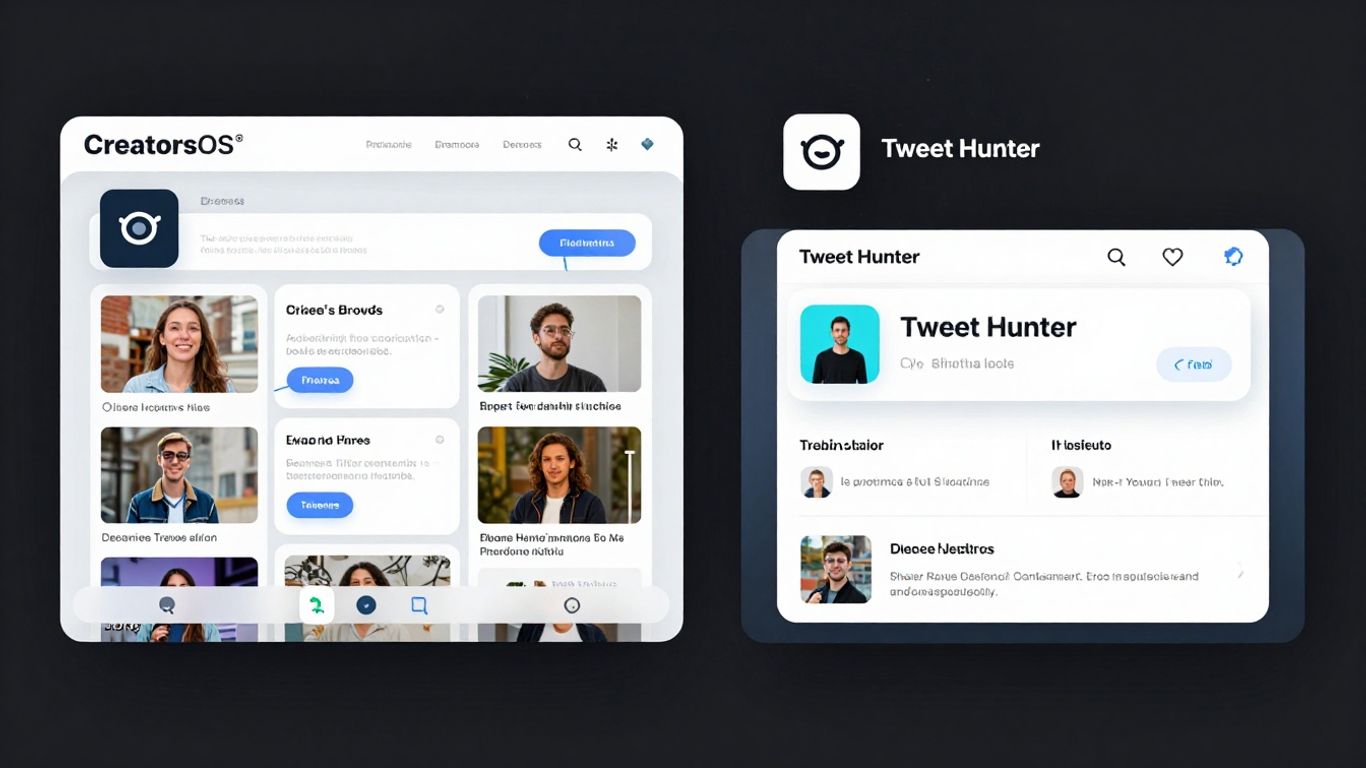
When you're picking a tool like CreatorsOS or Tweet Hunter, it's not just about the features, right? You also gotta think about what happens when things go sideways or when you just need a little help figuring something out. That's where community and support come in. Having good support can make a huge difference in how you use a tool day-to-day.
Helpdesk and Live Chat Availability
Both CreatorsOS and Tweet Hunter offer ways to get in touch when you're stuck. Tweet Hunter usually has a pretty responsive helpdesk, and you can often find answers to common questions pretty quickly. CreatorsOS also provides support, though the speed and availability might vary. It’s worth checking their sites to see what their current setup is. Sometimes, a quick chat can save you hours of frustration.
User Communities and Forums
Beyond direct support, user communities are gold. These are places where other users share tips, tricks, and solutions. You might find a Facebook group or a Discord server for either platform. These communities can be super helpful for learning advanced strategies or just getting a different perspective on a problem. It’s like having a whole team of people who use the same tools you do.
Educational Resources and Tutorials
Good documentation and tutorials are key. Do they have a knowledge base with articles? Are there video walkthroughs? CreatorsOS seems to be building out its library of resources, which is a good sign for new users. Tweet Hunter has been around longer, so they generally have a solid collection of guides. Having these resources means you can learn at your own pace and get the most out of the platform without needing to ask for help every time.
It's easy to get caught up in the shiny features of a tool, but don't forget about the support system. A tool is only as good as the help you can get when you need it. Think about how you learn best – do you prefer reading articles, watching videos, or asking questions in a forum? Make sure the platform's support matches your style.
When comparing, look at:
- Response Times: How quickly do they typically get back to you?
- Resource Depth: Are the tutorials and articles detailed enough?
- Community Activity: How active are the user forums or groups?
- Support Channels: Do they offer live chat, email, or just a ticketing system?
For instance, if you're someone who likes to figure things out by reading, a platform with a robust knowledge base is going to be better. If you prefer asking questions and getting immediate answers, live chat or an active community might be more your speed. It's all about finding what works for your workflow. If you're managing complex projects, having reliable support is as important as the project management features themselves, much like how managing remote payroll needs solid organizational tools.
Alternatives to Tweet Hunter: Is CreatorsOS the Best Tweet Hunter Alternative?
So, you're looking for something beyond just Tweet Hunter, huh? It's totally understandable. While Tweet Hunter is a solid tool for many, the social media landscape changes fast, and what works for one person might not be the perfect fit for another. Let's break down some other options and see if CreatorsOS really stands out.
Creativity Tools Beyond Scheduling
Tweet Hunter is great for getting your content out there on a schedule, but sometimes you need more than just a calendar. Think about tools that help you brainstorm ideas, refine your writing, or even generate different content formats. Some platforms are starting to integrate AI writing assistants that can help you overcome writer's block or suggest new angles for your posts. Others might offer templates or visual aids to make your tweets pop.
- Idea Generation: Tools that suggest trending topics or popular questions in your niche.
- Content Refinement: AI-powered suggestions for improving clarity, tone, and impact.
- Format Variety: Features that help you create carousels, polls, or even short video scripts.
Competitor Platforms In The Market
It's not just Tweet Hunter and CreatorsOS out there. There are quite a few other players. Some focus heavily on analytics, while others are all about automation. You've got tools like Buffer and Hootsuite, which have been around for ages and offer a broad range of social media management features. Then there are newer, more specialized tools that might focus on specific platforms or types of content. It's worth checking out a few to see what features are most important to you.
Here's a quick look at how some might stack up:
| Platform | Core Strength | Scheduling | AI Features | Analytics | Pricing (Est.) |
|---|---|---|---|---|---|
| Tweet Hunter | Tweet Engagement | Yes | Basic | Good | $$ |
| CreatorsOS | All-in-One Suite | Yes | Advanced | Very Good | $$$ |
| Buffer | Simplicity, Multiple | Yes | Limited | Basic | $$ |
| Hootsuite | Enterprise Features | Yes | Limited | Advanced | $$$$ |
Which Platform Suits Different Needs?
Deciding on the right tool really comes down to what you're trying to achieve. If your main goal is just to schedule tweets and get basic analytics, Tweet Hunter might be enough. But if you're looking for a more robust solution that includes advanced AI writing help, deeper analytics, and maybe even campaign management across different platforms, then you'll want to look at options like CreatorsOS. For those managing large teams or needing complex approval workflows, enterprise solutions like Hootsuite could be the way to go. It's all about matching the tool to your specific workflow and goals. Finding a platform that helps you connect with your audience authentically can make all the difference in your online journey [de57].
Sometimes, the best tool isn't the one with the most features, but the one that simplifies your workflow without getting in the way. Think about what tasks take up the most time and which ones you dread doing. The ideal platform should make those easier, not add more complexity.
Data Security and Privacy Considerations
User Data Handling
When you sign up for either CreatorsOS or Tweet Hunter, you're trusting them with your account information and the data you generate. It's important to know how they handle that. Both platforms generally state they use your data to provide and improve their services. This usually means things like storing your scheduled posts, analyzing your performance metrics, and sometimes personalizing your experience. They should clearly outline what data they collect and why in their privacy policies.
Here's a quick look at what to expect:
- Account Information: This includes your username, email, and any payment details. They need this to manage your account and bill you.
- Content Data: Scheduled posts, drafts, and analytics data are stored to power the tools.
- Usage Data: How you interact with the platform helps them identify bugs and areas for improvement.
It's always a good idea to read through their privacy policies. Sometimes, you might find details about data retention periods or how to request data deletion. For instance, understanding how they manage your data is similar to how email providers handle email headers – it's all about what information is kept and for how long.
Third-Party Integrations
Many tools like these connect with other services. For CreatorsOS and Tweet Hunter, this often means connecting to your X (formerly Twitter) account, obviously. But sometimes, they might offer integrations with other marketing or analytics platforms. When you connect these services, you're essentially giving them permission to access certain data. It's like letting a new app access your photos – you need to be comfortable with what they can see and do.
- X API Access: Both platforms require access to your X account via the API to function. This is standard for any tool managing your social media.
- Other Integrations: If they offer connections to tools like Google Analytics or other marketing software, review the permissions each integration requests.
Always check the security practices of any third-party service before connecting it. A weak link in the chain can compromise your data, even if the main platform is secure.
Compliance with Social Platform Policies
Social media platforms, especially X, have strict rules about how third-party applications can interact with their services. Both CreatorsOS and Tweet Hunter must adhere to these policies. This includes how they access user data, how they display content, and what actions they can perform on your behalf. Violating these policies can lead to account suspension or removal from the platform. It's a bit like how shows on streaming services have to follow broadcast regulations; these tools have to play by X's rules.
The landscape of social media platform policies can change rapidly. Tools that rely heavily on these platforms must be agile, updating their practices to remain compliant. This ensures continued service for users and maintains the integrity of the social network itself.
When choosing a tool, consider if they have a history of compliance and how transparent they are about adhering to X's developer agreement. This is a sign of a stable and reliable service, unlike some ventures that might have had a rocky start, like those sometimes seen on Shark Tank.
When handling your valuable information, we take great care to keep it safe and private. Our system is built with security in mind, so you can focus on your work without worry. Want to learn more about how we protect your data? Visit our website today!
Conclusion
So, after looking at CreatorsOS and Tweet Hunter side-by-side, it's clear that both tools aim to help creators on X, formerly Twitter. Tweet Hunter has been around longer and has a solid set of features for scheduling and basic analytics. CreatorsOS, on the other hand, seems to be pushing more into AI and automation, which could be a big deal for creators who want to save time. When deciding which tweet hunter alternative is best for you, think about what you need most. If you're just starting and want something straightforward, Tweet Hunter might be good. If you're looking for more advanced features, especially AI help, CreatorsOS could be the better choice. Don't forget to check out the free trials to see which one feels right. And remember, the best x analytics tool is the one you'll actually use and that helps you reach your goals.
Frequently Asked Questions
What is CreatorsOS and how is it different from Tweet Hunter?
CreatorsOS is a tool that helps people create and share content on social media, especially X (formerly Twitter). It uses AI to help you write posts and suggests ideas. Tweet Hunter is also for X, but it's more focused on scheduling your posts and seeing how they do. CreatorsOS tries to do more with AI to make things easier for you.
Is Tweet Hunter still a good option in 2026?
Yes, Tweet Hunter is still a solid choice. It's been around for a while and is good at scheduling posts and giving you basic information about your performance. If you just need to plan your tweets and see simple stats, it works well.
Which tool is better for beginners?
For someone just starting out, Tweet Hunter might be a bit simpler to get the hang of. Its main job is scheduling, which is a big first step. CreatorsOS has more advanced features, like AI writing help, which could be great but might feel like a lot at first.
Can these tools help me write better tweets?
CreatorsOS is built with AI to help you write tweets and even whole threads. It can give you ideas and help you phrase things. Tweet Hunter can help you schedule them, but it doesn't have the same level of AI writing assistance built-in.
What does 'X analytics tool' mean?
An 'X analytics tool' is a program that helps you understand how your posts are doing on X (Twitter). It shows you things like how many people saw your tweet, who liked it, and who shared it. Both CreatorsOS and Tweet Hunter offer these kinds of stats, helping you see what works best.
Which is the best tweet hunter alternative if I want more automation?
If you're looking for a tweet hunter alternative with more automation, CreatorsOS is likely the better pick. Its focus on AI means it can help automate tasks like writing content and suggesting replies, which can save you a lot of time.